AgentBar.
Quota display for Claude and Codex in the macOS menu bar — no terminal.
You notice the limit too late.
Working all day with Claude Code and Codex means working against two quotas: a weekly budget and a five-hour window, each with its own reset. You only see either one if you go and ask — and they get interesting exactly when you’re mid-task and don’t want to.
The standard workaround is guessing. That fails in both directions: working too cautiously, or running dry on a Wednesday.
A pace indicator, not bare percentages.
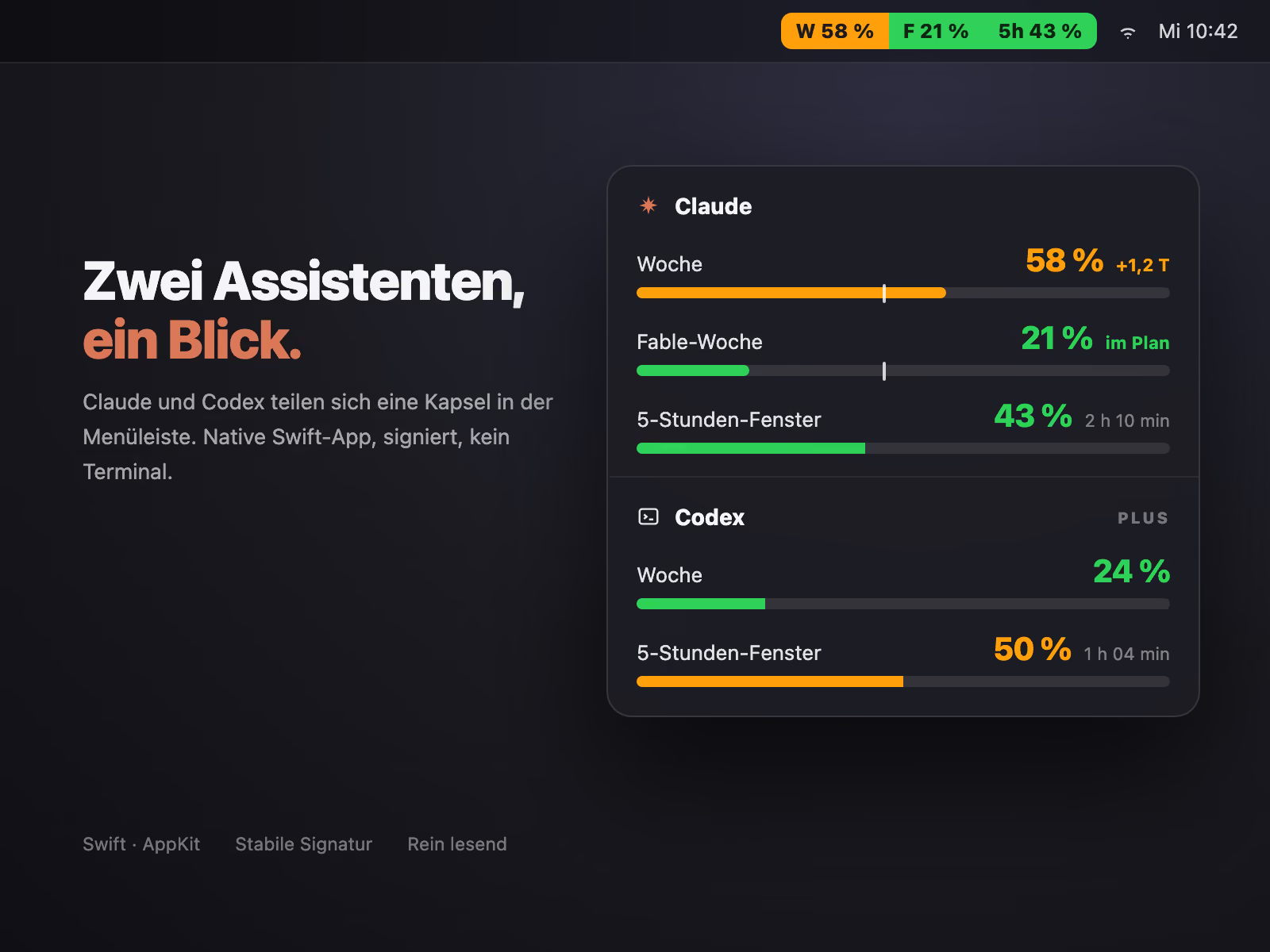
AgentBar sits in the top-right menu bar and shows three values as one capsule: week, Fable week, five-hour window. The two weekly meters aren’t plain percentages but a pace — the app measures against a weekday-weighted target curve and colours by whether you’re ahead or on plan. Click the icon: both weekly meters with target marker and projection, the five-hour window with a reset countdown — and Codex’s two quotas below.
Live in personal use since April 2026. Built locally, self-signed, never in the store.
/ tech-decisions
Three decisions that mattered.
Native
Swift instead of Electron
An Electron shell drags a whole Chromium along for a status indicator. Swift + AppKit — a measured 45 MB RAM in use, instant cold start, native look. Steeper learning curve, worth it for a tool that's always running.
Signature
Self-signed, but stable
No App Store, no notarisation: for a tool that runs on one machine, 99 €/year for Apple Developer plus a review cycle would be absurd. A script builds the bundle locally and signs it with a self-issued certificate. That isn't cosmetic — because the signing identity stays stable, macOS privacy grants survive every rebuild. Without it the app would be a stranger after each build, and stall.
Data source
Two clocks, read-only
Values come from the Claude desktop app's local usage file every minute and from Claude's official usage endpoint every ten minutes; the more recent measurement wins. Codex reports its own state through the local app-server. Read-only against all three sources — the only thing written is its own cache.
/ other apps
KiHire
A standing profile for physio and occupational therapists — get found without searching. Beta in North Rhine-Westphalia.
Cookmark
Recipes from Instagram reels, turned into structured cards — in one click.
Watchlist
Streaming PWA with a filter stack: what we watch tonight, without 20 minutes of scrolling.